
Something went wrong. Try again.
A Jupyter kernel for JavaScript that executes code directly in your web app.
Something went wrong. Try again.
Files

- Python 70%
- JavaScript 18%
- Jupyter Notebook 11%
- HTML <1%
README.md
# LiveJS
A [Jupyter](https://jupyter.org/) kernel for JavaScript that executes code directly in your web app.
[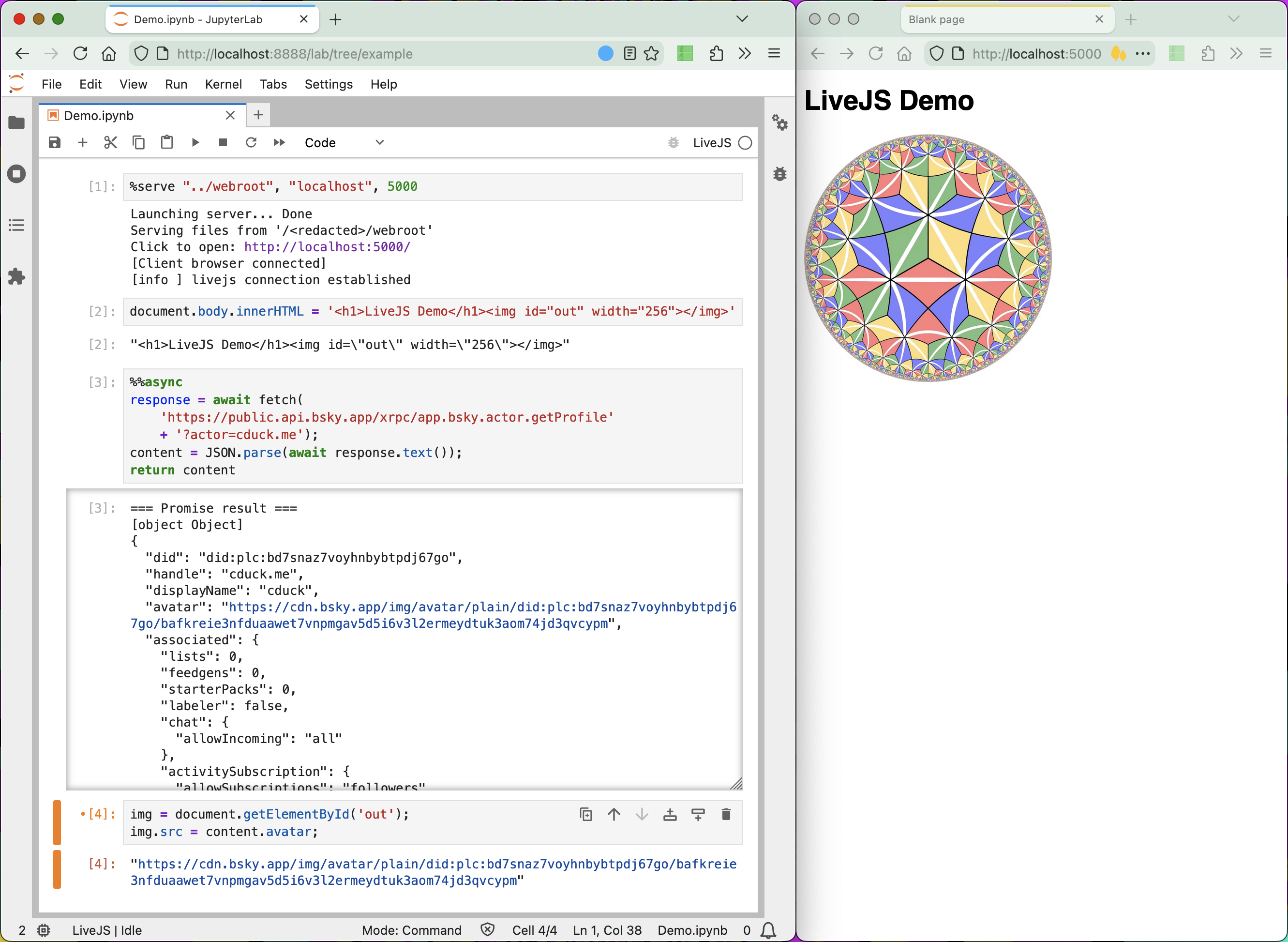](https://tangled.org/cduck.me/livejs/tree/main/example)
- Use this kernel for quick interactive feedback by running snippets of JavaScript within your web app and viewing the results from Jupyter.
- Written from scratch with the kernel hosted from Python.
- No JavaScript dependencies. No NodeJS.
Note: This project is in very early development and may not have a smooth user experience.
## Install
- Install the [uv Python package manager](https://docs.astral.sh/uv/getting-started/installation/)
```bash
$ curl -LsSf https://astral.sh/uv/install.sh | sh
```
- Install [Jupyter](https://jupyter.org/install)
```bash
$ uv tool install jupyterlab
$ uv tool install jupyter-core
```
- Install [LiveJS](https://tangled.org/cduck.me/livejs/)
```bash
$ uv tool install git+https://tangled.org/cduck.me/livejs
- Install the LiveJS kernel into Jupyter
```bash
$ livejs-install --user
OR
$ livejs-install --sys-prefix
```
## Usage
- Launch Jupyter
```bash
$ cd my/working/directory
$ jupyter lab
- Within the Jupyter interface, create a new notebook and select the kernel "LiveJS"
- In the first cell, run `%serve "path/to/my/webroot", "localhost", 5000`
- In the other cells, run JavaScript!
- Advanced: For async Javascript, put the `%%async` magic at the top of each cell
## Demo
<video src="https://extra.cduck.me/livejs/demo-video.mp4" width="100%" controls alt="Video of Jupyter and a demo web page side-by-side showing the results of typing and running the Demo.ipynb jupyter notebook"></video>
[demo-video.mp4](https://tangled.org/cduck.me/livejs/blob/main/example/demo-video.mp4)