 t1c.dev
forked from
rocksky.app/rocksky
A decentralized music tracking and discovery platform built on AT Protocol 🎵
 tsiry-sandratraina.com
1## Rocksky CLI
2
3🎧 The official command-line interface for [Rocksky](https://rocksky.app) — a modern, decentralized music tracking and discovery platform built on [AT Protocol](https://atproto.com).
4
5📚 **[View Full Documentation](https://docs.rocksky.app)**
6
7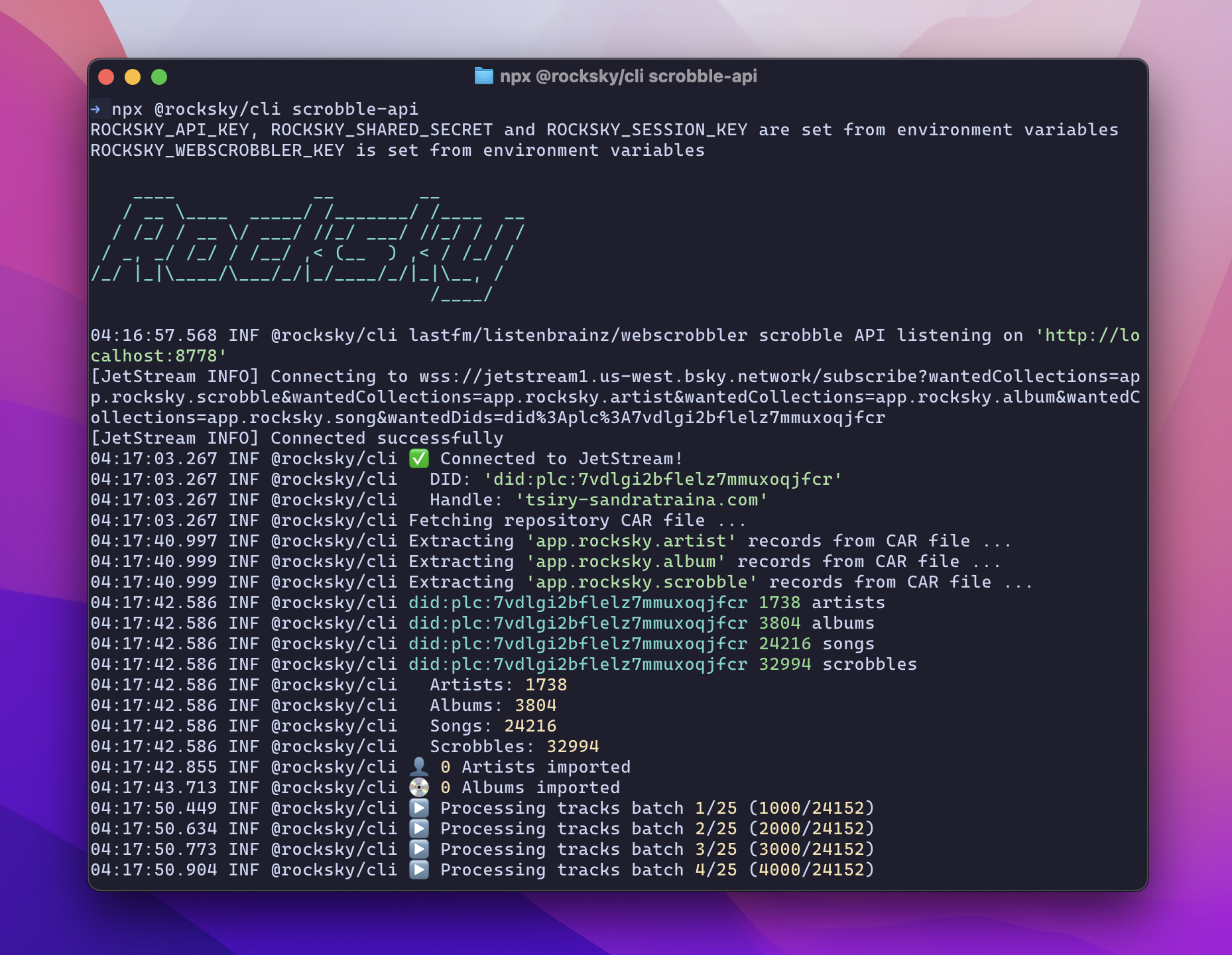
8
9## Features
10- 🔐 Authenticate with your Rocksky account using OAuth
11- 🎵 View your currently playing track
12- 📈 See your recent scrobbles
13- 📤 Manually scrobble tracks
14- 🛠️ Useful developer tools for integrating Rocksky into your workflows
15- 🤖 MCP Server
16
17## Table of Contents
18- [Documentation](#documentation)
19- [Installation](#installation)
20- [Run in development](#run-in-development)
21- [Usage](#usage)
22- [Available Commands](#available-commands)
23- [Rocksky MCP Server Tools](#rocksky-mcp-server-tools)
24 - [whoami](#whoami)
25 - [nowplaying](#nowplaying)
26 - [scrobbles](#scrobbles)
27 - [search](#search)
28 - [stats](#stats)
29 - [artists](#artists)
30 - [albums](#albums)
31 - [tracks](#tracks)
32
33## Documentation
34
35For comprehensive guides, API references, and tutorials, visit the official documentation at **[docs.rocksky.app](https://docs.rocksky.app)**.
36
37## Installation
38
39```sh
40npm install -g @rocksky/cli
41```
42
43You can also use the CLI without installing it globally by running `npx`:
44
45```sh
46npx @rocksky/cli --help
47```
48
49## Run in development
50To run the CLI in development mode, install the dependencies:
51
52```bash
53bun install
54```
55
56Then, run the CLI with:
57
58```bash
59bun run dev --help
60```
61
62
63## Usage
64
65```bash
66rocksky <command> [options]
67```
68
69## Available Commands
70
71`login` - Initiates a browser-based OAuth login flow and saves your access token securely on your machine.
72
73```bash
74rocksky login
75```
76
77`nowplaying` - Displays the currently playing track on your/other Rocksky account.
78
79```bash
80rocksky nowplaying
81```
82
83`scrobble` - Manually scrobbles a track.
84
85```bash
86rocksky scrobble "Karma Police" "Radiohead"
87```
88
89`scrobbles` - Lists all recently scrobbled tracks.
90
91```bash
92rocksky scrobbles
93```
94
95`search` - Searches for tracks, albums, artists or Rocksky users.
96
97```bash
98rocksky search <query>
99```
100
101`stats` - Displays your Rocksky account statistics.
102
103```bash
104rocksky stats [did]
105```
106
107`artists` - Lists the user's top artists.
108
109```bash
110rocksky artists [did]
111```
112
113`albums` - Lists the user's top albums.
114
115```bash
116rocksky albums [did]
117```
118
119`tracks` - Lists the user's top tracks.
120
121```bash
122rocksky tracks [did]
123```
124
125`scrobble-api` - Start a local listenbrainz/lastfm compatibility server
126
127```bash
128rocksky scrobble-api
129```
130
131`sync` - Sync your local Rocksky data from AT Protocol
132
133```bash
134rocksky sync
135```
136
137`whoami` - Displays the current user's information.
138
139```bash
140rocksky whoami
141```
142
143`mcp` - Starts the Rocksky MCP server.
144
145```bash
146rocksky mcp
147```
148
149## Rocksky MCP Server Tools
150
151Here is a list of tools provided by the Rocksky MCP server:
152
153### whoami
154
155Get the current user's information.
156
157**Example:**
158```json
159{
160 "name": "whoami"
161}
162```
163
164**Returns:**
165
166The current user's information, including their DID, handle, and other relevant details.
167
168### nowplaying
169
170Get the currently playing track.
171
172**Parameters:**
173
174- `did` (optional): The DID or handle of the user to get the now playing track for. If not provided, it defaults to the current user.
175
176**Example:**
177```json
178{
179 "name": "nowplaying",
180 "args": {
181 "did": "did:plc:7vdlgi2bflelz7mmuxoqjfcr"
182 }
183}
184```
185
186**Returns:**
187
188The currently playing track for the specified user.
189
190### scrobbles
191
192Display recently played tracks (recent scrobbles).
193
194**Parameters:**
195- `did` (optional): The DID or handle of the user to get scrobbles for. If not provided, it returns all recent scrobbles from Rocksky.
196
197**Example:**
198```json
199{
200 "name": "scrobbles",
201 "args": {
202 "did": "did:plc:7vdlgi2bflelz7mmuxoqjfcr"
203 }
204}
205```
206
207**Returns:**
208
209A list of recently played tracks for the specified user.
210
211### my-scrobbles
212
213Display recently played tracks (recent scrobbles) for the current user.
214
215**Example:**
216```json
217{
218 "name": "my-scrobbles"
219}
220```
221
222**Returns:**
223
224A list of recently played tracks for the current user.
225
226### search
227Search for tracks, albums, artists, or Rocksky users.
228
229**Parameters:**
230- `query`: The search query string.
231- `limit` (optional): The maximum number of results to return. Defaults to 10.
232- `albums` (optional): If true, search for albums. Defaults to false.
233- `artists` (optional): If true, search for artists. Defaults to false.
234- `tracks` (optional): If true, search for tracks. Defaults to false.
235- `users` (optional): If true, search for Rocksky users. Defaults to false.
236
237**Example:**
238```json
239{
240 "name": "search",
241 "args": {
242 "query": "Radiohead",
243 "limit": 5,
244 "albums": false,
245 "artists": false,
246 "tracks": false,
247 "users": false
248 }
249}
250```
251
252**Returns:**
253
254A list of search results based on the specified query and filters.
255
256### artists
257List the user's top artists or current user's top artists if no `did` is provided.
258
259**Parameters:**
260- `did` (optional): The DID or handle of the user to get top artists for. If not provided, it defaults to the current user.
261- `limit` (optional): The maximum number of artists to return. Defaults to 20.
262
263**Example:**
264```json
265{
266 "name": "artists",
267 "args": {
268 "did": "did:plc:7vdlgi2bflelz7mmuxoqjfcr",
269 "limit": 20
270 }
271}
272```
273
274**Returns:**
275
276A list of the user's top artists, including their names and play counts.
277
278### albums
279List the user's top albums or current user's top albums if no `did` is provided.
280
281**Parameters:**
282- `did` (optional): The DID or handle of the user to get top albums for. If not provided, it defaults to the current user.
283- `limit` (optional): The maximum number of albums to return. Defaults to 20.
284
285**Example:**
286```json
287{
288 "name": "albums",
289 "args": {
290 "did": "did:plc:7vdlgi2bflelz7mmuxoqjfcr",
291 "limit": 20
292 }
293}
294```
295
296**Returns:**
297
298A list of the user's top albums, including their names and play counts.
299
300### tracks
301List the user's top tracks or current user's top tracks if no `did` is provided.
302
303**Parameters:**
304- `did` (optional): The DID or handle of the user to get top tracks for. If not provided, it defaults to the current user.
305- `limit` (optional): The maximum number of tracks to return. Defaults to 20.
306
307**Example:**
308```json
309{
310 "name": "tracks",
311 "args": {
312 "did": "did:plc:7vdlgi2bflelz7mmuxoqjfcr",
313 "limit": 20
314 }
315}
316```
317
318**Returns:**
319
320A list of the user's top tracks, including their names and play counts.
321
322### stats
323Display the user's Rocksky account statistics or current user's statistics if no `did` is provided.
324
325**Parameters:**
326- `did` (optional): The DID or handle of the user to get statistics for. If not provided, it defaults to the current user.
327
328**Example:**
329```json
330{
331 "name": "stats",
332 "args": {
333 "did": "did:plc:7vdlgi2bflelz7mmuxoqjfcr"
334 }
335}
336```
337
338### create-apikey
339Create a new API key for the current user.
340
341**Parameters:**
342- `name`: The name of the API key.
343- `description` (optional): A description of the API key.
344
345**Example:**
346```json
347{
348 "name": "create-apikey",
349 "args": {
350 "name": "My API Key",
351 "description": "This is my API key."
352 }
353}
354```
355
356**Returns:**
357
358A confirmation message indicating that the API key was created successfully.