
- Rust 97%
- TypeScript <1%
- HTML <1%
- CSS <1%
- Shell <1%
- 1 more language <1%
libbui #
A calm, keyboard-first terminal UI for Libby, your public library's app for ebooks, audiobooks and magazines. Browse your shelf, search your library's catalogue, borrow, place holds, and download the titles your library offers as files. Written in Rust with ratatui.
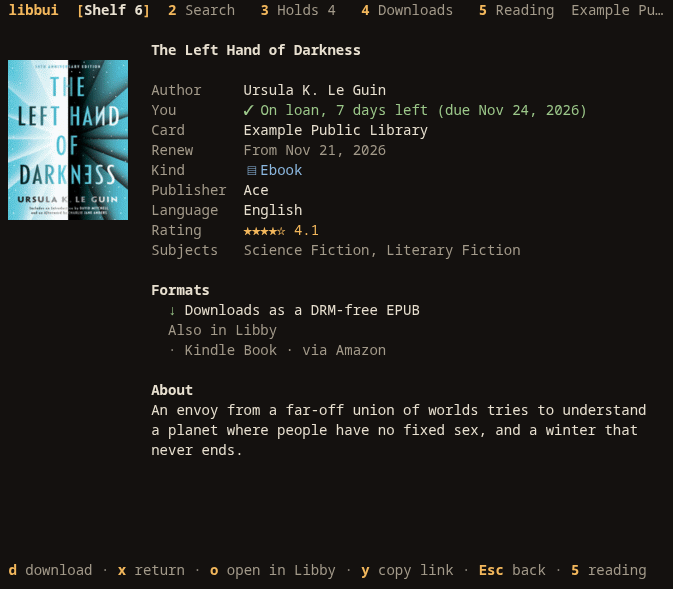
Try it #
libbui.vinnymac.dev runs libbui in your browser with a sample library. Nothing leaves your device.
Install #
libbui needs Rust 1.90 or newer, and no system libraries.
cargo install --locked --git https://tangled.sh/@vinnymac.dev/libbui libbui
Building from source, shell completions and the static RISC-V build are in docs/install.md.
Get started #
- In Libby, open the menu and choose Copy To Another Device. Libby shows an eight-digit code.
- Run
libbuiand type the code. libbui signs in like a second phone would, so it never sees your library card PIN. - Your cards, loans and holds appear. Press
?on any screen for its keys.
libbui unpair forgets the pairing on this computer.
Documentation #
- Downloads: which formats libbui can save as files
- Using the interface and its default keys
- Reading: tags, history, notes, magazines and availability across libraries
- Command line: commands, JSON output and exit codes
- Configuration, themes and accessibility
- Files and privacy: what libbui stores and where
- Troubleshooting
Contributing #
Issues and patches are welcome on Tangled. See CONTRIBUTING.md for the layout of the code and the checks every change must pass, and AGENTS.md for project guidelines.
libbui is not affiliated with OverDrive, Libby or any library. Libby is a trademark of OverDrive, Inc.