 adam.tngl.sh
Here I try to describe performing a niche Beancount data manipulation by building up complex Vim Macros from basic Vim Motions.
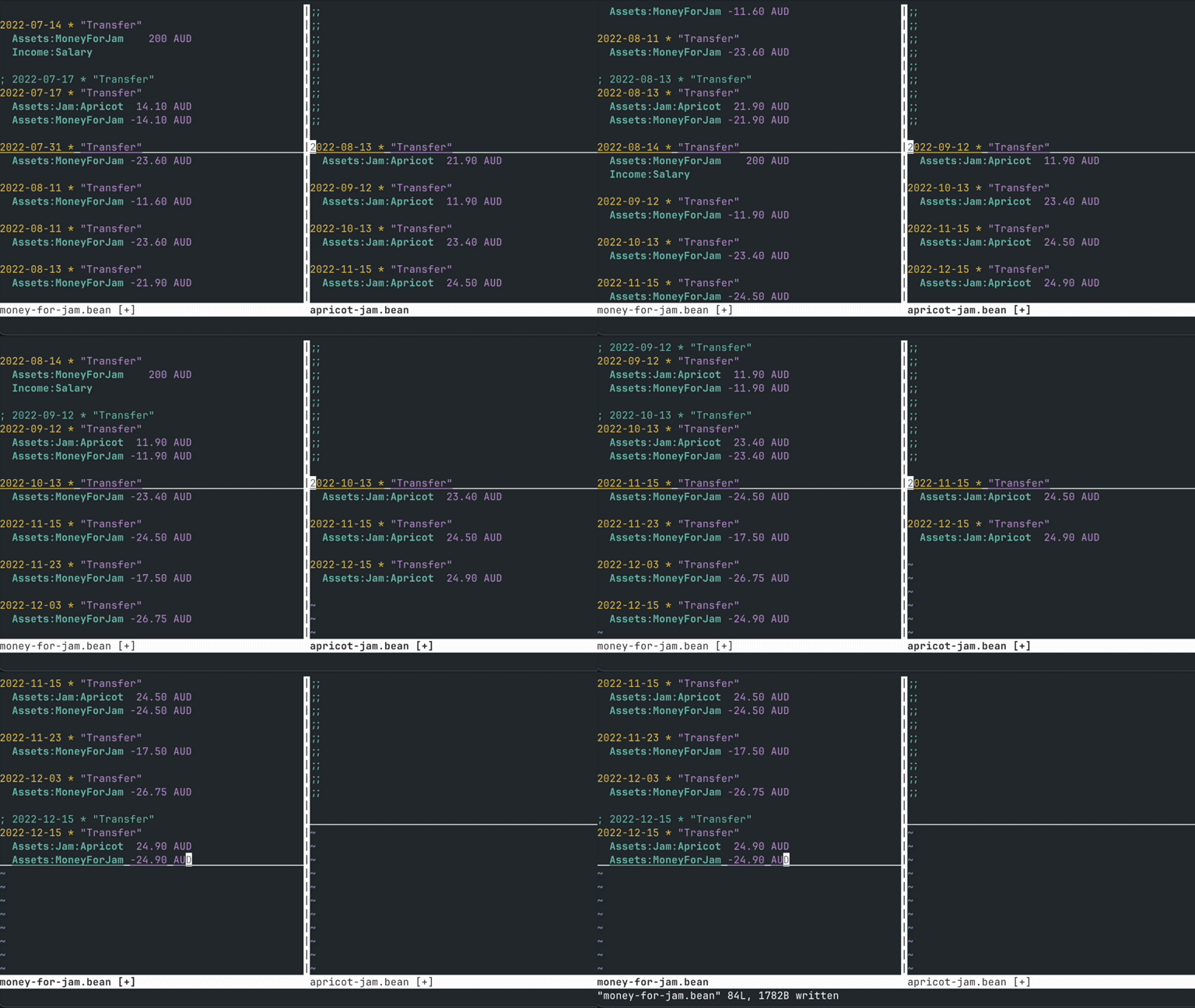
Table of Contents
Context#
I am a long time user of vim:
- still a novice
- frustrated that I still opt to use the
hjklmovement keys to navigate around without going deeper by committing the more sophisticated motion capabilities into muscle memory
I have recently (in the last 4 years) have finances that are somewhat representative of a normal(ish) adult
- salary
- housing expenses
- bills
- maintenance
- insurance
- medical
- regular holidays
I am often hit with brief periods of motivation to export transactions and fiddle around with assigning and summarising categories in spreadsheets. This is something I pretty quickly get bored with and lose interest, frustrated with the inflexibility and lack of (futureproof!) automation capability around tracking these things in a spreadsheet. I stumbled upon beancount, a Python concoction of scripts designed to generate, parse, lint a standard text based ledger. I got excited by the possibilities of text based bean counting.
I am only starting my journey, and one onboarding strategy suggests taking a snapshot of your current balance and starting your bean counting journey from the here and now. This would allow ignoring the past (temporarily), and learning how to use the system incrementally, and presumably the cost of taking a wrong path/making a mistake is relatively low, because you would only have to go back and redo a small number of bean-keeping once you've realised you're going about things the wrong way.
Thats not how I roll and I have a strong, possibly misguided, confidence in my ability to do bulk data manipulations quickly (it is entirely possible that it takes me just as long as anyone else, but I get so absorbed into the flow of it that I just believe I'm being quick and efficient).
In the process of pulling the trailing, winding, branching, poorly documented thread of the last 3 years of transaction data from all the different institutions that have provided me with financial services, I have ended up with a mixture of many different CSV formats, some PDF statements with contextual data in various states of:
- completely missing
- truncated
- all uppercase
- inaccurate (with respect to automated category and vendor information)
Niche Problem#
I'd like to focus on a particular period and type of missing data for this writeup. One particular institution has transaction data extracts with the columns:
- Date
- Description
- Debit
- Credit
For a brief period of time I had 4 different accounts with this institution and I would regularly transfer amounts between them. I would diligently labeled these transactions, however as life caught up with me, adding a description got less and less frequent. This resulted in long sequences of internal transfer entries that looked like:
"Date","Description","Debit","Credit"
"01 Jun 2022","Transfer","$26.00",""
"03 Jun 2022","Transfer","$21.50",""
"15 Jun 2022","Transfer","$200.00",""
"15 Jun 2022","Transfer","","$500.00"
"23 Jun 2022","Transfer","$23.00",""
"24 Jun 2022","Transfer","$25.50",""
From a beancount perspective, where each transaction must be zero sum, this is a nightmare, because if I am looking at an export for a single account, I have no idea which transfer went where.
Three Approaches#
I could consolidate internal transfer entries from my different internal accounts in a few different ways:
- ignore all internal transfers, treat that institution as a single account
- script the resolution of the links between accounts by scanning each separate account export and adding a reference to credits that match debits in other accounts
- use vim
Ignoring Internal Transfers#
Tempting, focusing just on external transfers with more contextual data would sidestep this issue. However, there are a lot more external transactions than internal transactions which would mean more time categorising, and at the time these seperate accounts existed partially to remove the need to focus on individual expenses, and more to generally categorise expenses as I made them, rather than having to do so after the fact. Throw in a joint account which treats these internal transfers the same way, and this approach starts to feel like a bit of a mess as well.
Scripting#
I've tackled this type of problem before by iterating over each seperate accounts entries and matching with a criteria, but I don't enjoy slapping together this type of script, and I often find that I end up spending a lot of time fiddling with the script to cater for particular edge cases exhibited in the data, for example:
- what specifically is the matching criteria (date and amount? just amount?)
- what if there are multiple potential matching transactions from different accounts
- what if the dates don't match exactly
- what if the transaction sequencing is different between accounts? a single pass over each account is unable to resolve these
Vim#
Vim is a pretty ubiquitous text editor that I enjoy using because its quick to open, can be configured such that most shortcuts are accessible without having to hold down mod keys (whose locations are difficult for my long fingers to contort to the required shape in order to reach them), and it allows me to access and manipulate a wide variety of data represented as text. This includes:
- configuration, software, scripts and logs on remote systems
- small datasets
- commit message entries
- piping into the quickfix/location list and iterating over:
- merge request comments
- software compiler errors
- code lint errors
- grep search results
I am able to use vim efficiently for these tasks remotely because I also practice using it on my local machine for most text based work, except for programming strongly typed, object oriented programming languages because I have never figured out how to get fast doc/api access and automatic code formatting features working well enough in those contexts without sacrificing the thing I like most about vim which is the speed at which I can translate what I am thinking into keyboard inputs, and still have vim's poor, overworked single thread keep up with me on my Intel 5th gen i3 from 2015.
So, can it help me solve this problem?
Getting Warmed Up#
We start with taking the CSVs and turning them into individual beancount transactions with single postings using beangulp, the Beancount V3 library that takes a backseat to the CSV import process, requiring you to write most of the code to translate files into the beancount python API.
For some fictional accounts I dreamt up for my expenses related to my jam expenses, this results in the following files:
;;; money-for-jam.bean

2022-04-14 * "Transfer"
  Assets:MoneyForJam    200 AUD
  Income:Salary

2022-04-23 * "Transfer"
  Assets:MoneyForJam -20.30 AUD

2022-04-23 * "Transfer"
  Assets:MoneyForJam -21.30 AUD

2022-04-31 * "Transfer"
  Assets:MoneyForJam -17.65 AUD

...
;;; apricot-jam.bean

2022-04-23 * "Transfer"
  Assets:Jam:Apricot  21.30 AUD

2022-05-24 * "Transfer"
  Assets:Jam:Apricot  21.60 AUD

2022-06-17 * "Transfer"
  Assets:Jam:Apricot  14.10 AUD

2022-07-17 * "Transfer"
  Assets:Jam:Apricot  14.10 AUD

2022-08-13 * "Transfer"
  Assets:Jam:Apricot  21.90 AUD

...
;;; fig-jam.bean

2022-04-23 * "Transfer"
  Assets:Jam:Fig      20.30 AUD

2022-04-31 * "Transfer"
  Assets:Jam:Fig      17.65 AUD

...
This is not ideal for beancount, as it is looking to have individual transactions contain postings representing both sides of the transaction. If you were to run any of these through bean-check, you would get a lot of:
money-for-jam.bean:7: Transaction does not balance: (-20.30 AUD)
money-for-jam.bean:10: Transaction does not balance: (-21.30 AUD)
...
If our statements had more context about where each transfer was going, we could skip a step and generate bean entries with balancing transactions:
2022-04-23 * "Transfer for apricot jam"
  Assets:MoneyForJam -20.30 AUD
  Assets:Jam:Apricot
We could also take the road of scripting automated matching between all three CSVs on import, but this is a post about vim.
So, wielding vim, how do we balance these?
We'll start with a basic manual approach to get warmed up, and gradually reduce the number key presses required for each transaction as we go.
- First, open both files with vim and get them side by side
$ vim apricot-jam.bean money-for-jam.bean
- We'll enable some line number verbosity so we can see where the cursor is on both buffers
:set number:set relativenumber:set nowrap(optional, but I prefer transactions with long lines not screwing with the line spacing)
- Get them side by side with a window split
:vsplit(split the window vertically):bn(next buffer/file on the new split)
We should have a vim window that looks like this:
1   2022-04-14 * "Transfer"         |1   2022-04-23 * "Transfer"
  1   Assets:MoneyForJam    200 AUD |  1   Assets:Jam:Apricot  21.30 AUD
  2   Income:Salary                 |  2
  3                                 |  3 2022-05-24 * "Transfer"
  4 2022-04-23 * "Transfer"         |  4   Assets:Jam:Apricot  21.60 AUD
  5   Assets:MoneyForJam -20.30 AUD |  5
  6                                 |  6 2022-06-17 * "Transfer"
  7 2022-04-23 * "Transfer"         |  7   Assets:Jam:Apricot  14.10 AUD
  8   Assets:MoneyForJam -21.30 AUD |  8
  9                                 |  9 2022-07-17 * "Transfer"
 10 2022-04-31 * "Transfer"         | 10   Assets:Jam:Apricot  14.10 AUD
 11   Assets:MoneyForJam -17.65 AUD | 11
 12                                 | 12 2022-08-13 * "Transfer"
 13 2022-05-24 * "Transfer"         | 13   Assets:Jam:Apricot  21.90 AUD
 14   Assets:MoneyForJam -21.60 AUD | 14
 15                                 |~
money-for-jam.bean                 apricot-jam.bean
We've got a main account with an amount being taken from our salary into our money for jam account, then we've got some deductions from that account into other accounts, and we can see from the buffer on the right that some of these look as though they can be matched to our apricot jam account.
There doesn't seem to be much in terms of a convention for combining two transactions into one with multiple postings, and the documentation seems to indicate that automating this in a generic way is 'hard'.
I recall reading a suggestion somewhere in the documentation that I can no longer find, suggesting to make one transaction the main one, combine the postings and leave the other transaction entry as a comment, like below:
; 2022-04-23 * "Transfer" ^apricot-jam.csv
2022-04-23 * "Transfer" ^money-for-jam.csv
  Assets:MoneyForJam -21.30 AUD
  Assets:Jam:Apricot  21.30 AUD
I've taken to auto-generating 'links' to which csv export each transaction originated from, however I don't think that this is their intended use. I haven't included them in the vim window previews for brevity, but they really help me understand the context of where I got each transaction from.
Vim Motions#
We'll now use C-w w to switch between the two buffers and hjkl (or arrow keys if you prefer) to move the cursor around in each buffer. The command C-w l will switch you to the right buffer, this behaviour comes from the directions that hjkl represent. We'll use the left buffer as the main ledger and move entries from the right window that we can match successfully.
I can see that the third transaction on the left can be matched with the first on the right, so I'll move the cursor down to it and then switch to the right buffer. The relative line numbers in the margin tell me how far away it is from the current cursor position:
7jmove seven lines downC-w lgo to the right buffer
  7 2022-04-14 * "Transfer"         |1   2022-04-23 * "Transfer"
  6   Assets:MoneyForJam    200 AUD |  1   Assets:Jam:Apricot  21.30 AUD
  5   Income:Salary                 |  2
  4                                 |  3 2022-05-24 * "Transfer"
  3 2022-04-23 * "Transfer"         |  4   Assets:Jam:Apricot  21.60 AUD
  2   Assets:MoneyForJam -20.30 AUD |  5
  1                                 |  6 2022-06-17 * "Transfer"
8   2022-04-23 * "Transfer"         |  7   Assets:Jam:Apricot  14.10 AUD
  1   Assets:MoneyForJam -21.30 AUD |  8
  2                                 |  9 2022-07-17 * "Transfer"
  3 2022-04-31 * "Transfer"         | 10   Assets:Jam:Apricot  14.10 AUD
  4   Assets:MoneyForJam -17.65 AUD | 11
  5                                 | 12 2022-08-13 * "Transfer"
  6 2022-05-24 * "Transfer"         | 13   Assets:Jam:Apricot  21.90 AUD
  7   Assets:MoneyForJam -21.60 AUD | 14
  8                                 |~
money-for-jam.bean                   apricot-jam.bean
We can now use some editing commands in combination with some movements to move the transaction over:
d}cut until the next blank line into the default register (the transaction)C-w hmove to the left bufferPpaste from the register at the current line
2022-04-23 * "Transfer"
  Assets:Jam:Apricot  21.30 AUD
2022-04-23 * "Transfer"
  Assets:MoneyForJam -21.30 AUD
i;<space><Esc>enter insert mode, turn the line into a comment, exit insert modejmove down to the postingddcut the line into the default registerppaste from the register below the current line
These will end up with a vim window looking like the below:
  9 2022-04-14 * "Transfer"         |1
  8   Assets:MoneyForJam    200 AUD |  1 2022-05-24 * "Transfer"
  7   Income:Salary                 |  2   Assets:Jam:Apricot  21.60 AUD
  6                                 |  3
  5 2022-04-23 * "Transfer"         |  4 2022-06-17 * "Transfer"
  4   Assets:MoneyForJam -20.30 AUD |  5   Assets:Jam:Apricot  14.10 AUD
  3                                 |  6
  2 ; 2022-04-23 * "Transfer"       |  7 2022-07-17 * "Transfer"
  1 2022-04-23 * "Transfer"         |  8   Assets:Jam:Apricot  14.10 AUD
10    Assets:Jam:Apricot  21.30 AUD |  9
  1   Assets:MoneyForJam -21.30 AUD | 10 2022-08-13 * "Transfer"
  2                                 | 11   Assets:Jam:Apricot  21.90 AUD
  3 2022-04-31 * "Transfer"         | 12
  4   Assets:MoneyForJam -17.65 AUD |~
  5                                 |~
  6 2022-05-24 * "Transfer"         |~
money-for-jam.bean                   apricot-jam.bean
We can repeat this process as long as we like. For me personally, it is helping to commit to muscle memory the meaning of the curly brace movement, where, by default each curly brace takes you to the previous or next blank line. You can combine this movement with a multiplier, e.g. 2} will move down by two areas of whitespace only lines.
One annoyance I've noticed with this initial approach is that the cursor position between the two buffers gets skewed, and while the relative line number thing helps a bit, I don't particularly like how much space the line numbers use up, especially if my beancounting reaches the thousands of lines.
Vim has some buffer positioning commands that help a bit, which I've also been using here in an attempt to better commit them to muscle memory:
C-emoves the whole buffer down one line, without moving the cursor within the file- The following move the whole buffer, without moving the cursor position within the file:
ztsuch that the cursor is at the top of the bufferzzsuch that the cursor is in the middle of the bufferzbsuch that the cursor is at the bottom of the buffer
Lets start by lining up the cursors to our next match and position the cursor so they are both at the same eye level in the middle of the buffer. I've added some blank lines to the start of apricot-jam.bean to allow the zz command to center the buffer properly.
2}jskip the next transaction (maybe that was for fig jam?)zzmove the buffer view such that the cursor is in the middle of the bufferC-w lmove to the right bufferdddelete the blank line left by removing the previous transactionzzmove the buffer view such that the cursor is in the middle of the buffer
  7 2022-04-23 * "Transfer"         |  7 ;;
  6   Assets:Jam:Apricot  21.30 AUD |  6 ;;
  5   Assets:MoneyForJam -21.30 AUD |  5 ;;
  4                                 |  4 ;;
  3 2022-04-31 * "Transfer"         |  3 ;;
  2   Assets:MoneyForJam -17.65 AUD |  2 ;;
  1                                 |  1
16  2022-05-24 * "Transfer"         |11  2022-05-24 * "Transfer"
  1   Assets:MoneyForJam -21.60 AUD |  1   Assets:Jam:Apricot  21.60 AUD
  2                                 |  2
  3 2022-06-14 * "Transfer"         |  3 2022-06-17 * "Transfer"
  4   Assets:MoneyForJam    200 AUD |  4   Assets:Jam:Apricot  14.10 AUD
  5   Income:Salary                 |  5
  6                                 |  6 2022-07-17 * "Transfer"
  7 2022-06-17 * "Transfer"         |  7   Assets:Jam:Apricot  14.10 AUD
  8   Assets:MoneyForJam -14.10 AUD |  8
money-for-jam.bean                   apricot-jam.bean
This is fun, but we've got lots of jam accounting to do, and this number of keypresses will surely result in some sort of repetitive strain injury, so we will move on to creating vim macros.
Vim Macros#
The goals for our macro are:
- move the transaction on the right to wherever our cursor is on the left
- update the transaction description and combine postings as we did before
- preserve the position of the cursor such that by the end of the macro, we are ready to just type it again if the next transaction is already lined up So:
qqstart recording a macro to register 'q'd}cut until the next blank line into the default register (the transaction at the cursor)C-w wmove to the left buffer (by using 'w', this macro will work in either direction)Ppaste from the register at the current linei;<space><Esc>enter insert mode, turn the line into a comment, exit insert modejmove down to the postingddcut the line into the default registerppaste from the register below the current line}jmove to the next transactionzzmove the buffer view such that the cursor is in the middle of the bufferC-w wmove to the right bufferdddelete the blank line left after the removed transactionqstop recording macro
  7   Assets:MoneyForJam -17.65 AUD |  7 ;;
  6                                 |  6 ;;
  5 ; 2022-05-24 * "Transfer"       |  5 ;;
  4 2022-05-24 * "Transfer"         |  4 ;;
  3   Assets:Jam:Apricot  21.60 AUD |  3 ;;
  2   Assets:MoneyForJam -21.60 AUD |  2 ;;
  1                                 |  1
21  2022-06-14 * "Transfer"         |11  2022-06-17 * "Transfer"
  1   Assets:MoneyForJam    200 AUD |  1   Assets:Jam:Apricot  14.10 AUD
  2   Income:Salary                 |  2
  3                                 |  3 2022-07-17 * "Transfer"
  4 2022-06-17 * "Transfer"         |  4   Assets:Jam:Apricot  14.10 AUD
  5   Assets:MoneyForJam -14.10 AUD |  5
  6                                 |  6 2022-08-13 * "Transfer"
  7 2022-06-24 * "Transfer"         |  7   Assets:Jam:Apricot  21.90 AUD
  8   Assets:MoneyForJam -23.60 AUD |  8
money-for-jam.bean [+]             apricot-jam.bean [+]
This macro has a text representation:
d}^WwPi; ^[<80><fd>ajddp}jzz^Wwdd
However the commands involving special keys get a bit mangled, so you can't just copy this to a .vimrc, there is a way to create the special codes manually within a .vimrc using vim.
You might notice that unfortunately we can't just run the macro again, as there is a transaction on the left before the next transaction matching the current one on the right. A second macro makes this an absolute dream, which involves:
- moving the cursor on the left buffer to the next transaction matching the date under the right buffers cursor So:
qwstart recording a macro to the 'w' registeryt<space>yank text up until the next 'space' characterC-w wswap to the left buffer/^C-r0<enter>search for the yanked text (saved by default to register 0)zzmove the search result to the center of the bufferC-w wswap back to the right bufferqstop recording macro
The text representation is:
yt ^Ww/^R0^Mzz^Ww
To use these macros, we can alternate between:
@qif we want to link the current transactions in the center of each buffer@wif we want to search forward for the next transaction with the expected date- navigate manually in the left buffer if neither of the above are appropriate
One quirk of the latter macro is that if the search fails, the macro stops executing, and bombs out, leaving the cursor in the opposite buffer. I'm calling this a feature.
The auto scrolling buffers, the endless stream of transactions appearing from the bottom of the screen make this feel more like some weird game of frogger finance than actual book-keeping.